Holiday Elf started as a side project to make my own family’s Christmas shopping a little merrier. It turned into a good example of how we build at We Build Databases: start with a real problem, get the data and the rules right, then let AI handle the tedious part.
- What it is: a private gift list for one household, with an AI “elf” that checks current prices every morning.
- What it took: a couple of days in late October 2026. It runs on free plans plus a Claude subscription.
- What it won’t do: buy anything, sign in to a store, or change your budget.
The problem
If you shop for a family over the holidays, you’ve probably asked these:
- Did I already buy that?
- What did I pay for it?
- Is it cheaper somewhere else now?
- Does the store have the right size?
- Could I be watching the Hallmark Channel instead of stuck in the checkout line?
There’s a list for everyone and a budget to stick to. There are only a few weeks to get it all bought and wrapped.
Prices change every day. A gift is on sale at one store today and cheaper at another next week.
If you’re shopping for more than one kid, you know every kid counts the presents under the tree. And you’re trying to keep it all a surprise.
I wanted something that would do the checking for me and tell me when it was time to buy. Every family could use an extra elf in December.
What I built
I built Holiday Elf with Claude as my coding partner.
It’s a private web app for one household. You add:
- the people you’re shopping for
- a budget for each person
- what they want, with a price range and a date it needs to arrive by
If two people want the same thing, you add it once for everyone who wants it.
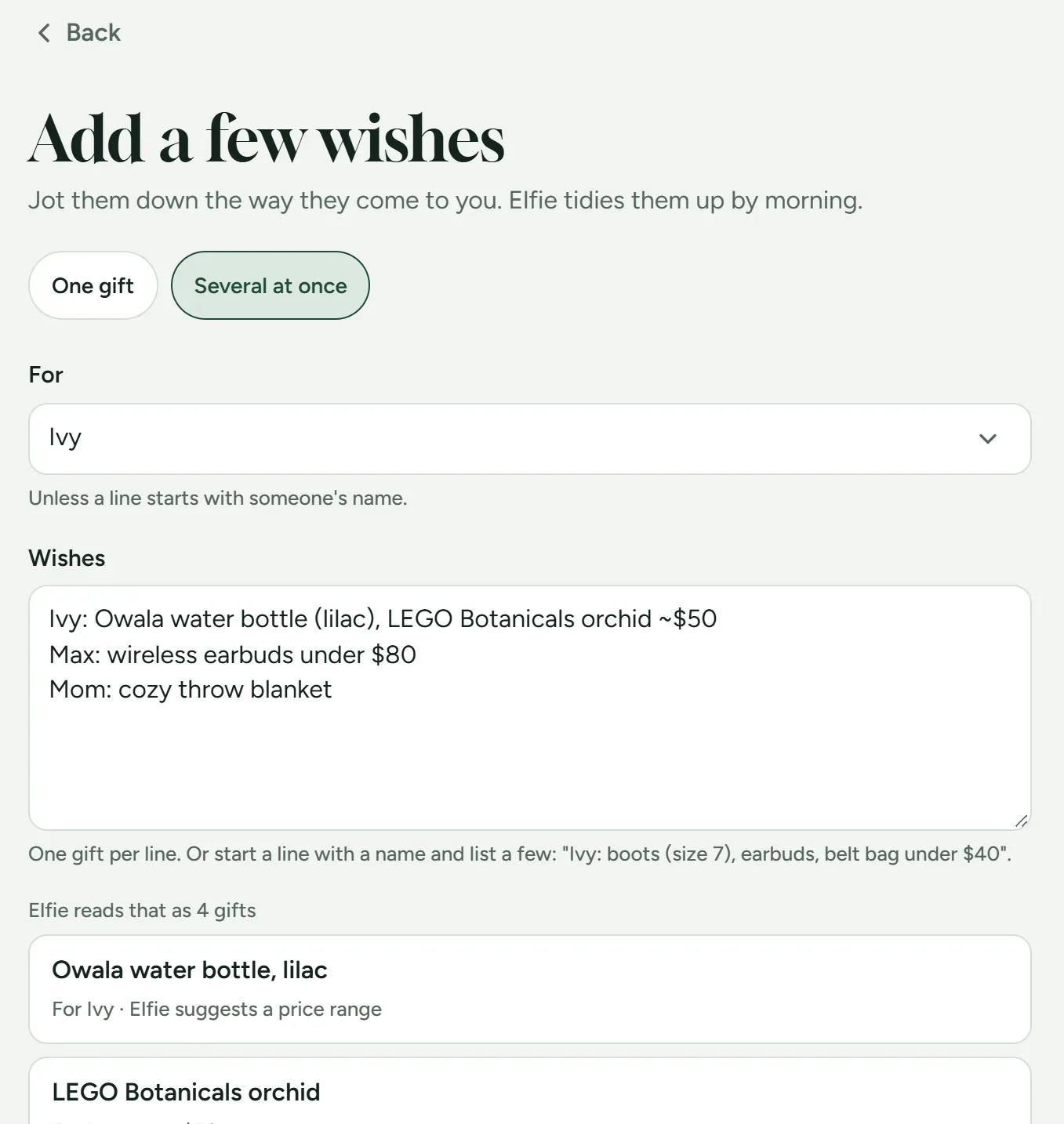
Then an elf takes over in the background. You give your elf a name and the whole app speaks in its voice.
Your elf checks prices every morning
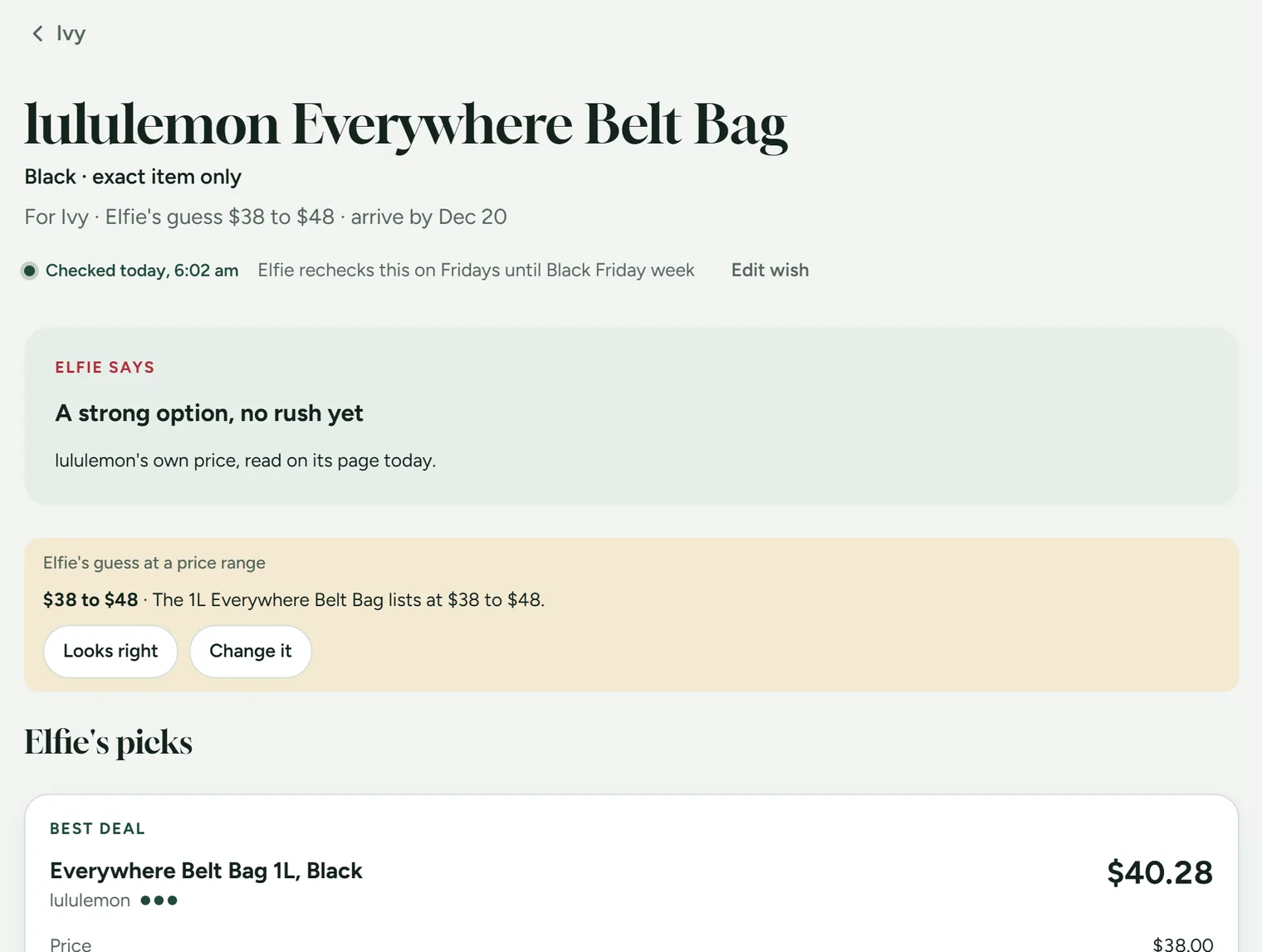
Every morning, the elf (Claude, running on a schedule) looks up current prices on the stores’ own pages and their Google Shopping listings. For each gift, it:
- adds estimated tax and shipping
- flags anything that won’t arrive in time
- notes where and when it found the price
Open the app with your morning coffee and the first thing you see is what your elf got up to overnight. A price drop or a gift running low on stock is right there at the top.
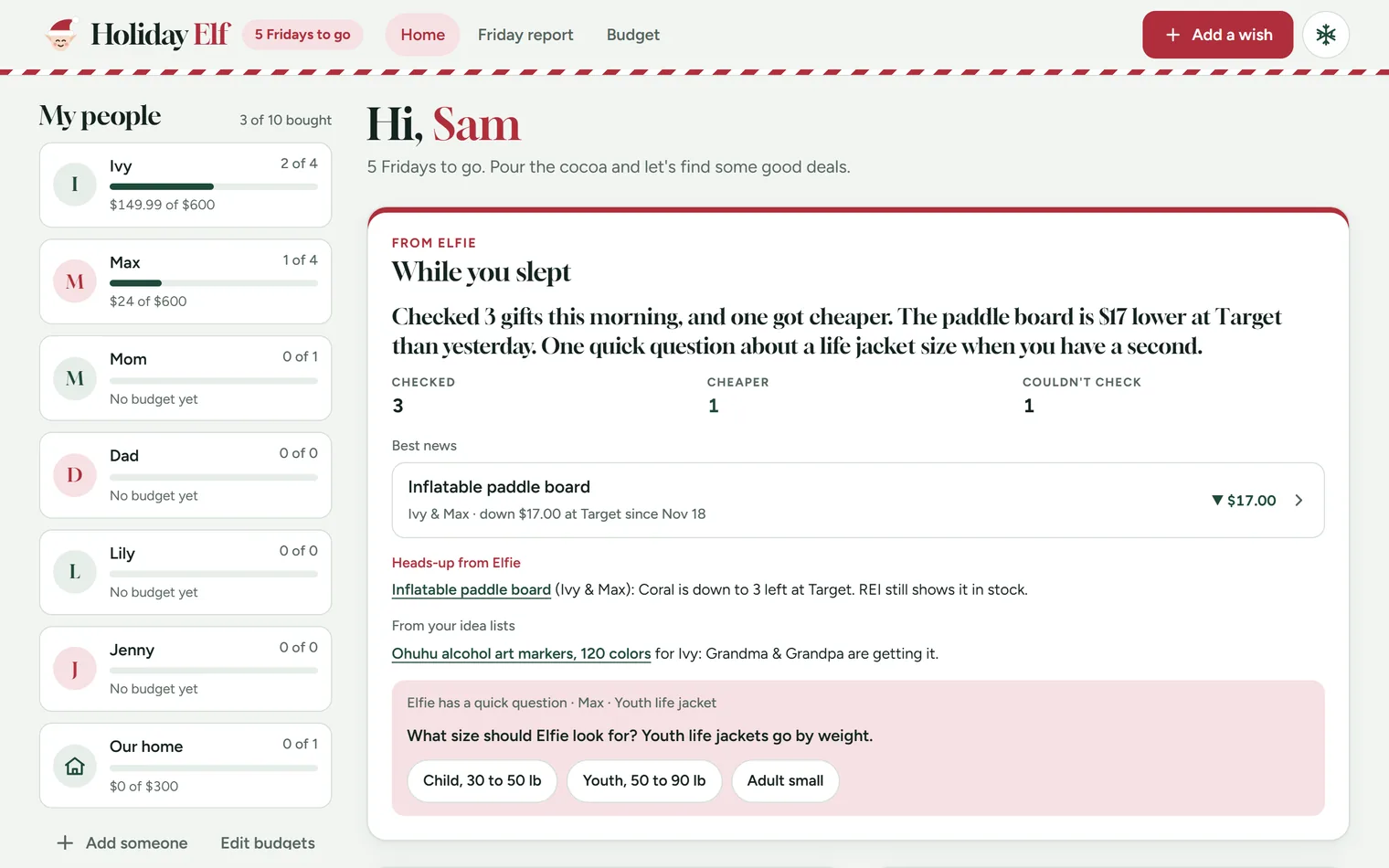
It suggests gift ideas too. It works from a few notes about each person and their budget. Snap a photo of a letter to Santa and the wishes show up as ideas the next morning.
Prices you can trust
A price is only useful if you know where it came from. Every price in the app has one of three labels:
- the store’s own page
- a Google Shopping listing
- “unconfirmed”, when it only turned up in a deal post
The elf doesn’t guess. If a page doesn’t show a price, a shipping cost or a delivery date, the elf leaves it blank. If a store blocks automated visits, the elf marks it “couldn’t check” and moves on.
The elf never:
- buys anything
- signs in to a store
- enters payment details
It also has its own login to the database. That login can read the list and the budgets. It can save only its own price checks, notes and gift ideas. It can’t change a budget, mark a gift as bought or touch what you paid.
We build client databases the same way. We decide early who can see what and who can change what. The database enforces it.
Keeping it fair, shared and secret
- Fairness check: see how many gifts each kid has, what you plan to spend on each, and who’s ahead.
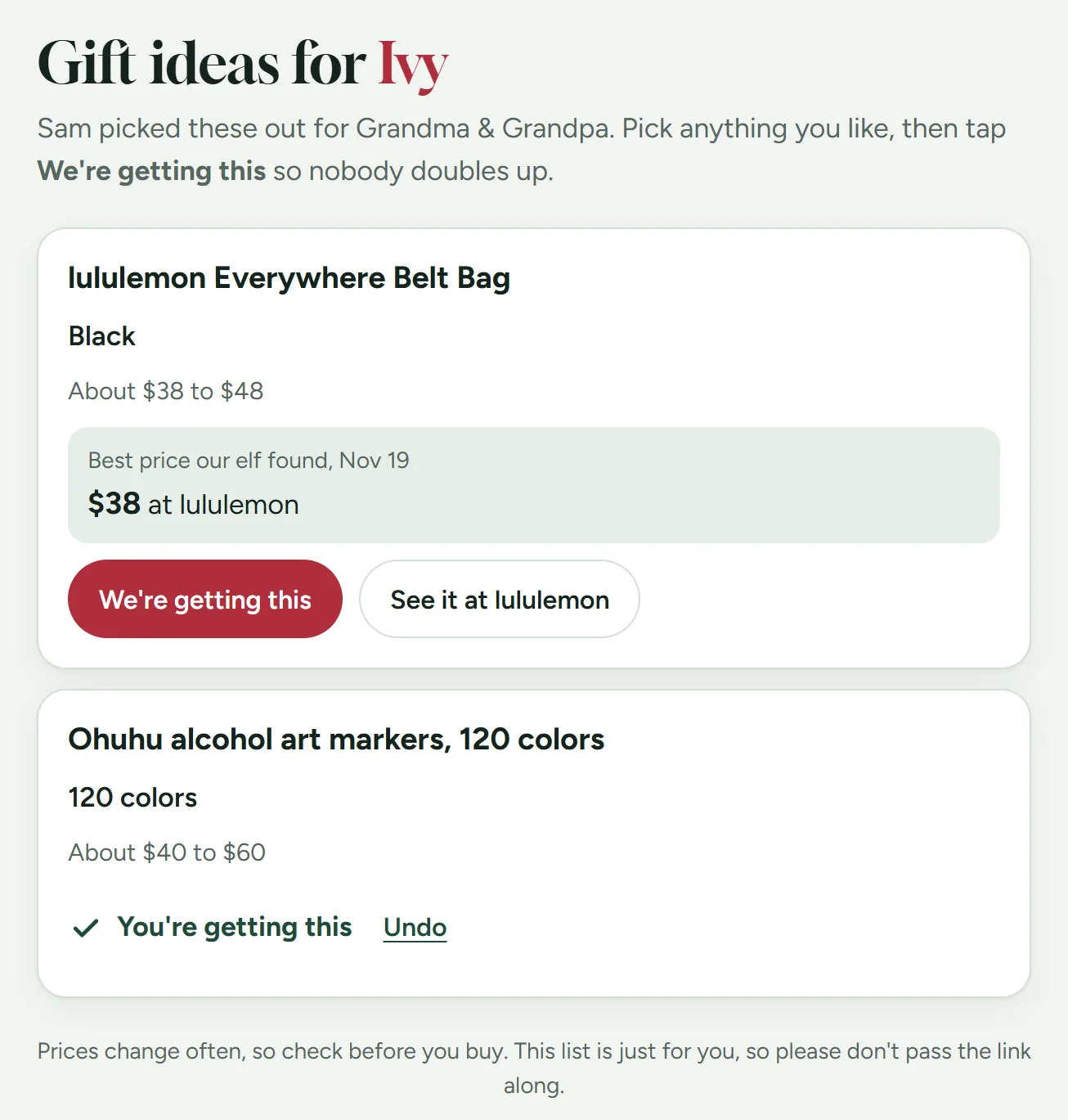
- Idea lists for family: when grandparents ask what to get, send them their own link. They tap “We’re getting this,” and the gift comes off your list and your budget so nobody doubles up.
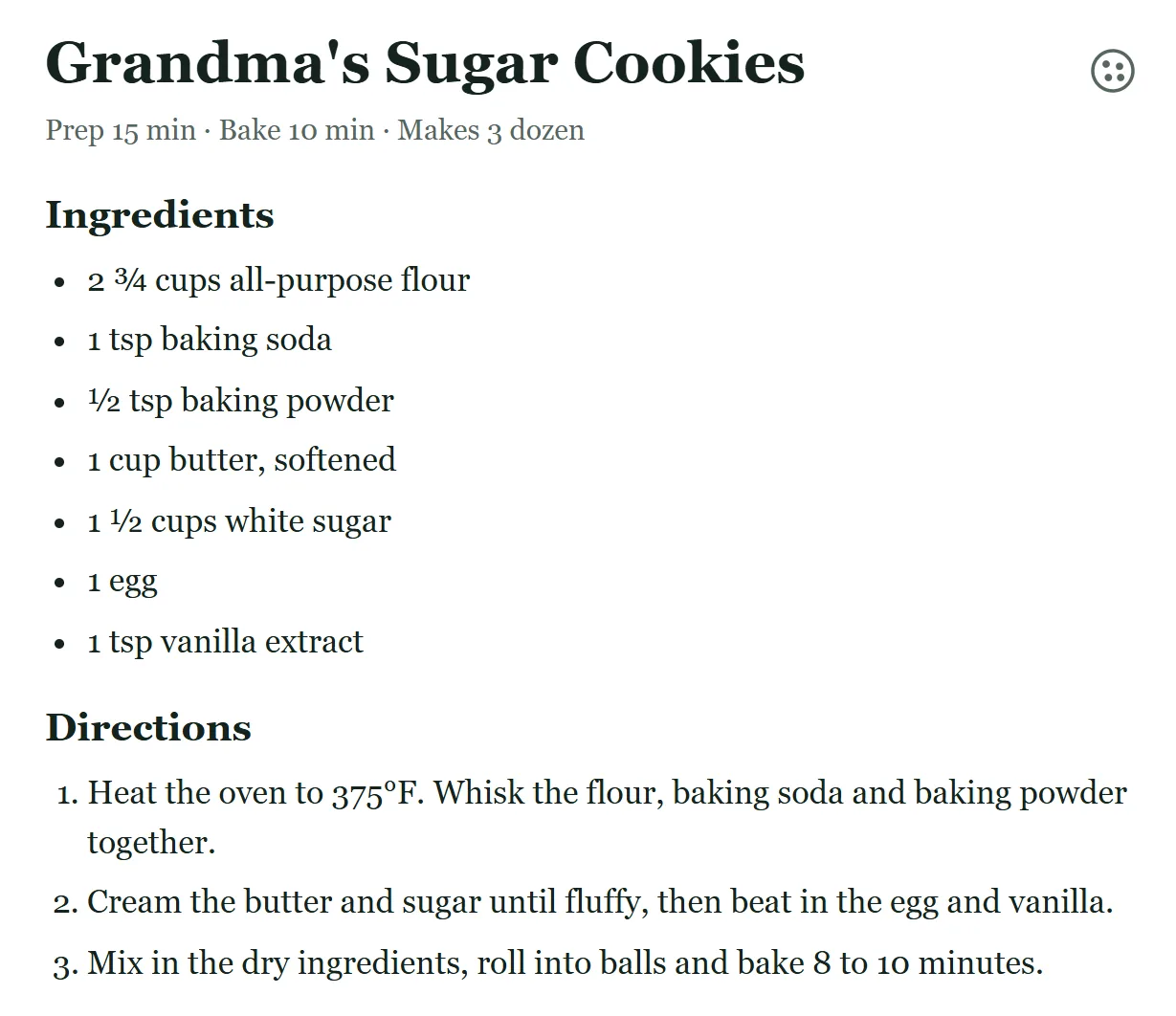
- No peeking: tap the snowflake and the whole app turns into a sugar cookie recipe. Tap the cookie three times to get back in.
What it taught me
Holiday Elf showed me how quickly an idea can become a real tool when the data and the guardrails are set up well. The AI is the fun part. The database is what makes it something you can rely on.
Build your own
I’m happy to share this. If it makes someone’s holiday season a little easier, that’s a win. Paste this prompt into Claude Code or a similar AI coding tool to get started:
The starter prompt (select and copy)
Help me build a private holiday gift tracker for my family. I'm not a developer, so walk me through each step and explain what you're doing.

What it should do:
- Let me add the people I'm shopping for, each with a budget, and their gift wishes with a price range and a date each gift needs to arrive by.
- Show a fairness check so siblings end up with a similar number of gifts and a similar total.
- Track what I bought, what I paid and the return-by date.
- Have a hide button that swaps the whole screen for a cookie recipe.

How to build it:
- Store everything in a free Supabase database, with row-level security so only the email addresses I approve can see the list.
- Make the app one simple web page I can host for free and open on my phone.

The morning price check:
- Write instructions for a scheduled AI task that runs every morning, looks up current prices for each gift on the stores' own pages, and saves the best few with the store, price, shipping, link and the time it checked.
- Give that task its own database login that can only write its price notes, never my budgets, purchases or list. Never put an admin or service_role key in the task's settings. If a step seems to need one, stop and ask me.
- Rules for the task: never buy anything or sign in, never make up a price that isn't on the page, label where every price came from, and if a store blocks automated visits, mark it "couldn't check" and move on.

Start by asking me who I'm shopping for and what my budget is.
Getting a first version running is the easy part. Most people get stuck on three things:
- hosting it
- locking down who can see and change what
- fitting it to how your family works
If you’d like a hand getting it online or making it your own, we’re glad to help.
Most of our clients aren’t building a holiday elf. But many of them have a process that lives in spreadsheets and in somebody’s head. It takes hours of checking by hand every week. That’s exactly the kind of thing we build. If that sounds familiar, tell us about it.
Happy holidays from all of us at We Build Databases.